


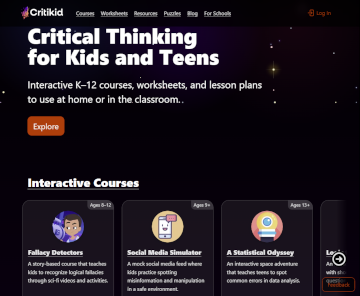
Critikid offers critical thinking resources for kindergarten through twelfth grade in the form of online courses, downloadable worksheets (some with lesson plans), and bundles. Five interactive, online courses are:
- Emotional Intelligence (ages 5-7)
- Fallacy Detectors (ages 8-12)
- Social Media Simulator (ages 9+)
- High School Homeschool Curriculum (grades 9-12)
- A Statistical Odyssey (ages 13+)
- Logic for Teens (ages 13+)
Sets of worksheets are available for elementary, middle school, and high school, as well as topical sets such as Logical Fallacies Worksheets and Lesson Plans, Symbolic Logic Worksheets, A Statistical Odyssey Worksheets and Lesson Plans, and Statistical Shenanigans Worksheets and Lesson Plans. In addition, other resources include Printable Logic Puzzles, Formal Fallacy Handbook, and Logical Fallacy Handbook. (The worksheets, puzzles, and handbooks range in price from free to $10.)
Some resources are bundled with others or are incorporated into other courses. For example, Social Media Stimulator is included within the High School Homeschool Curriculum. All except the High School Homeschool Curriculum are supplemental courses. I review several of the Critikid resources below.
The variety of useful resources and formats for learning critical thinking makes Critikid well worth checking out.
Logical Fallacies Worksheets and Fallacy Detectors
Logical Fallacy Worksheets present a short course of 10 lessons. The PDF downloads for this course are two files: Worksheets and Intro & Lesson Plans. The online Fallacy Detector course is suggested as part of each lesson but is not required.
The Logical Fallacies lesson plans, with two pages per lesson, are written for groups but can be used for one student. They list objectives, then begin each lesson with a warm-up activity. The use of the pertinent Fallacy Detectors “chapter” is listed as the next lesson component, but I would continue with the “Definitions and Examples” part of the lesson plan first. This gives students a clear understanding of the logical fallacy, which is not explained in Fallacy Detectors. Definitions and Examples presentations have the teacher draw or write on a whiteboard (e.g., the definition of a fallacy), but most of this part of the lesson is interactive. The lesson plans provide questions and examples, and students respond with their own examples. Following this is probably the best time to use Fallacy Detectors, which have students practice identifying faulty logic in response to online scenarios and scripted conversations. The lesson plans also have activities to practice identifying and correcting faulty statements.
The one-page worksheet for each lesson is a graphic organizer with four blocks for writing the definition of the fallacy, answering one multiple-choice question, completing “How would you reply?” that includes a statement with faulty logic and space for the student to write, and writing their own example for the fallacy.
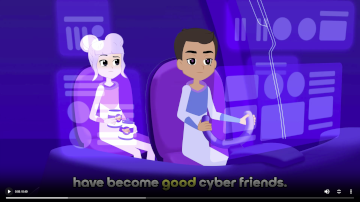 Fallacy Detectors, the online course, walks students through sci-fi-themed exercises to reinforce understanding of each fallacy. Lessons are presented in 10 “chapters,” each beginning with a multiple-choice question where students choose the answer that demonstrates the fallacy defined in the Logical Fallacies Worksheets. After the question, a quiz takes the form of a conversation where some statements are valid while others exhibit logical fallacies. Students identify which is the case for each. After students answer each question, the program responds with negative or positive affirmation and a brief explanation. At the end of the quiz, students write their own example scenario for the fallacy. Two challenge activities follow the ten chapters.
The Fallacy Detector exercises are fun and non-threatening. If students get something wrong, they don’t fail. The program continually explains, even commenting upon and explaining correct answers.
High School Homeschool Curriculum
Critical Thinking is a lengthy and challenging, half-credit course that should take a semester to complete. It consists of 16 modules that focus primarily on informal logical fallacies but introduce symbolic logic in the last two modules. The course runs on Funda Funda Canvas (free registration).
In addition to critical thinking, the modules address social media, Wikipedia, and other technology-related issues. The 10 videos comprising the Crash Course: “Navigating Digital Information” series are built into the course, along with many other resources, mostly from other Critikid content, such as Logic Puzzles, Social Media Simulator, and an article from the Logical Fallacy Handbook.
Students try to solve critical thinking puzzles presented on flashcards (online or printed), and they watch videos or read articles for which they answer comprehension questions. The puzzle cards are quite challenging, and some require math. They also watch videos that explain fallacious and misleading ads and then create their own reels explaining what was wrong with each ad. Rubrics are included for projects like creating reels. Some activities require students to write out explanations, such as, “Write a short dialogue in which one character presents a false dilemma.”
Some assignments can be checked immediately online, but most student answers and projects are to be loaded to a Google Drive folder where a parent or teacher will correct and evaluate the work.
Students also need to sign up (free) at iCivics Education, where they will play the NewsFeed Defenders “game” through two modules. The idea is that students read articles and investigate their background and supporting evidence, all of which is provided by the program. If you look at it as practice for deciding whether an article is credible, okay. But if you want to consider whether the ideas advanced in the article are valid, it’s not. For instance, an article on the use of medical marijuana rather than opioids is poorly supported, and that is apparently what the program wants students to learn. However, the entire exercise is misleading, since the use of medical marijuana is rapidly gaining acceptance and is supported by many credible articles on the topic that come up with a simple Google search. The NewsFeed Defenders was the only element of the course that I didn’t like. I would probably have students find a current article or news report and do their own investigation (with supervision) to evaluate its validity.
Logic for Teens
Logic for Teens is a brief course that teaches symbolic logic with short videos and practice questions based on sci-fi themes and culminates with a quest. Students learn about types of arguments, where arguments go wrong, types of sentences (in regard to logic), and other aspects of formal logic, such as conditionals and disjunctions.
The course has 13 lessons and four online quizzes, and most lessons take less than 10 or 15 minutes to complete. A few of them direct students to write out answers in a notebook. Most answers are predictable, and those are shown online.
Logic for Teens serves well as an introduction to symbolic logic since it doesn’t overwhelm students with too much new information.
The set of Symbolic Logic Worksheets mirrors much of the same information that is in Logic for Teens, although the order is slightly different. These worksheets can be used with Logic for Teens as reinforcement, but they can also be used on their own. However, the explanations of new concepts are more expansive in the videos for Logic for Teens, so the online course would be my first choice.
The worksheets present 18 lessons, with two lessons for a few chapters of the Logic for Teen course. They don’t align exactly. Most notably, the worksheets teach “or” and disjunctions before negation, while their order is reversed in the online lessons. It’s easy to align the topics if you are using both resources.
There are no lesson plans, but an answer key is at the end of the file.