



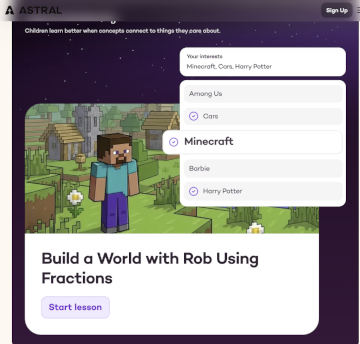
Astral is an adaptive, AI-based math program for kindergarten through eighth grade that is aligned with national standards and is truly innovative.
You start off by adding your information, such as your name, email, and the state you live in, and then set up your family dashboard by creating a profile for each of your children. You input their interest (e.g. Disney, Minecraft, Harry Potter, Barbie), their learning style, their starting point, and your family’s faith perspective. Faith integration is optional and allows you to choose from three levels of mentioning frequency. Since this is AI-driven, you type in your faith rather than select from a dropdown menu. The program uses student preferences from the setup for each activity's context.
You also choose an Astral buddy who is present throughout the lessons. For my review, I chose Cornelia, a nerdy female unicorn.
Students begin with "discovery lessons" that serve as a diagnostic test to figure out how a student thinks and where they're already strong. While taking the test, students can tell their Astral buddy (Cornelia in my case) that they haven’t learned something, and the test will skip it. Behind the scenes, the program uses that information to plan future lessons.
 In the lessons, the program continually makes connections to the student’s selected characters and themes. I had clicked on Disney characters and heavy religious content as preferences, so Elsa, Fiona, and other fictional characters showed up in religious contexts in the introductions to each instructional video or problem-solving practice. The idea is to help students think about concepts in concrete applications. Sometimes the connection is tenuous because the direct instructional lessons and practice problems were created to be used with all themes. For instance, the screen to the left says, “Help Princess Fiona build a chapel in Berk.”
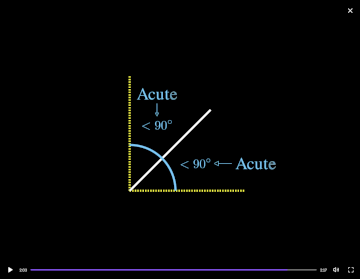 Each lesson starts with a personalized teaching video, with voiceover and slides on a black background, as on the next image to the left. In most cases, the context from the video isn’t mentioned again, although there is some relation—in this case, the tenuous idea that angles are important in construction projects.
After watching an instructional video, students work through exercises that reinforce comprehension and problem-solving skills incrementally. Students can rewatch the instructional video at any time during the exercises. Practice problems require students to interact and solve problems.
Students can speak into the microphone whenever they need to ask the live tutor a question. Audio instructions for exercises can be heard by clicking on the sound arrow at the bottom left of the screen.
Students can also ask their teaching Astral buddy questions by voice or text, and some common questions are already posed in a sidebar. For instance, a lesson on right angles teaches in the context of building a fence and creating a picture frame. It defines and shows right angles, then students are asked to identify the four angles in a rectangle by selecting acute, obtuse, or right. Next, the program asks for the measurement of each angle. If the student grasps the idea of right angles but doesn’t remember that it has 90 degrees, they can click on the sidebar question, “How many degrees are in a right angle?” This type of guided instruction and practice replaces the typical example and practice problems found in most courses. Students can get as much help as they need as they work through problems. At this stage, the program often shows the algorithm to use and sometimes helps students identify the numbers to plug into it. When necessary, students do their own math offline before typing in numbers and entering the solution. If a problem isn’t clear to the student, they can ask their Astral buddy to show them how to solve the problem. Rather than provide a complete solution, the avatar usually walks students through a step at a time, checking for understanding, which is much more helpful.
A lesson consists of an introductory screen to set the context, a personalized teaching video, and problem-solving practice. Lessons don’t usually take long to complete, so students are presented with two or more lessons per day. The creators of Astral tell me that, “Over a 36-week school year, students are expected to complete 360 to 540 lessons.” The number might vary greatly depending on student performance. Even with three or four lessons a day, Astral presents less problem-solving practice than students usually encounter in other programs. However, the instruction and practice are continually fine-tuned to teach exactly what students need, provide periodic review, and don’t waste time on concepts for which students have demonstrated repeated mastery.
This is a spiral program, so it does not teach just one concept at a time. Recently learned topics are reviewed every two weeks, and other topics are inserted from time to time. In an early lesson on angles, perimeter, and area, I was given a problem with metric conversions and another that required making a line plot from fractions. I told my teaching avatar Cornelia I hadn’t learned metric conversions, and she responded with something like, “No problem. We’ll come back to that later.” This comes across as encouraging rather than making the student feel inadequate.
The program continually diagnoses and creates lessons to address each student’s challenges and identify what they need to learn next. The program builds lessons from scratch every single day, depending on the student’s learning needs. Astral fills gaps when needed and pushes when the student is ready to learn new concepts for each day. However, students cannot immediately go beyond the lessons prepared for that day. This aspect might be a point of frustration for the eager student who wants to do more in one sitting.
Parent Reports
Parents have access to detailed reports, including the student’s mastery level on each of the national standards for their grade and any gaps or problem areas that have appeared. That information is used to build future lessons.
After each day’s lesson, parents get a detailed report like the one below.
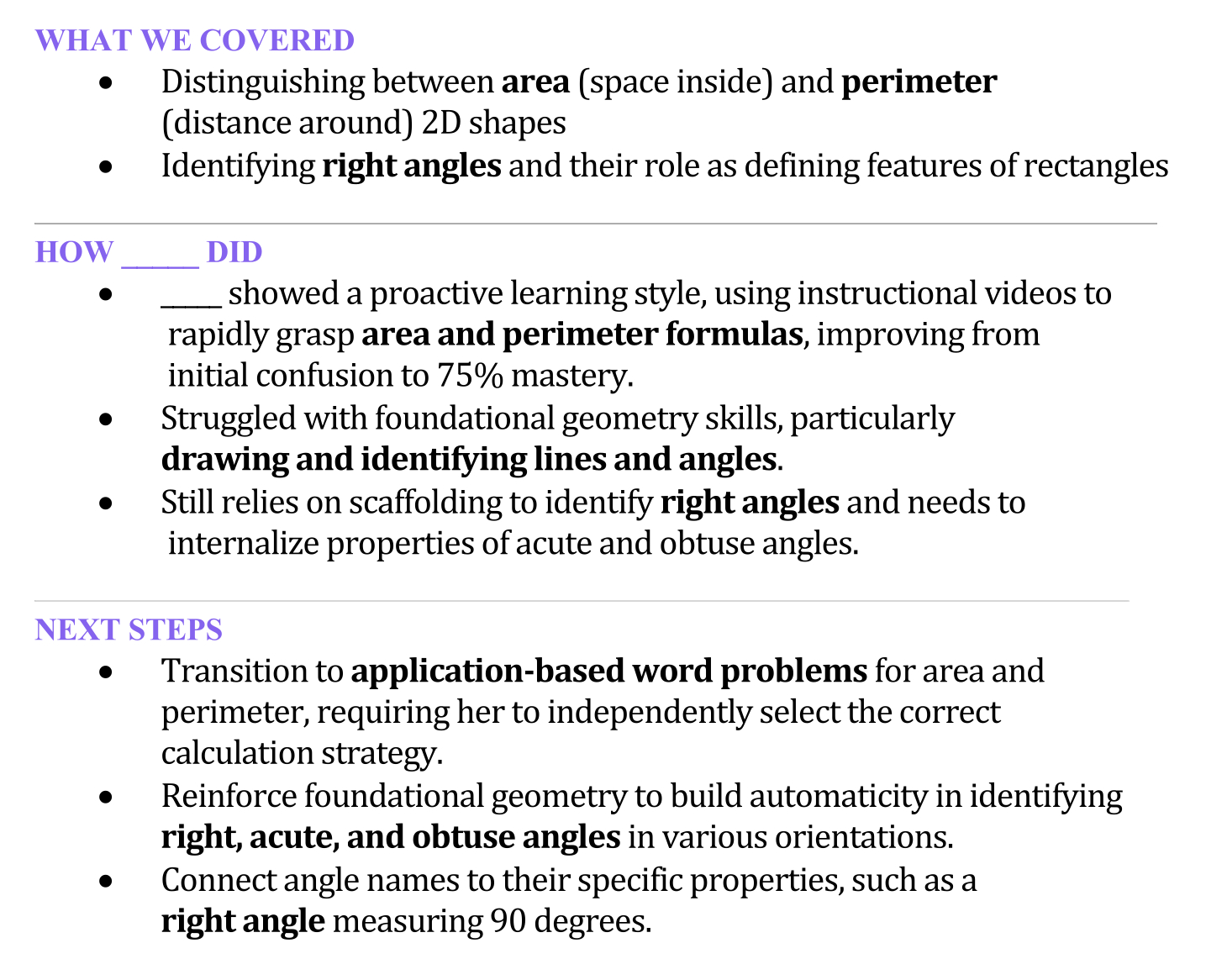
This type of information is extremely helpful, since it lets parents know which areas pose difficulties, how the student managed, and how those areas will be addressed.
Summary
I’ve reviewed other adaptive math programs, but none that I have seen provides Astral’s level of detailed analysis and personal customization of lessons. Granted that it's expensive, but it might be better than hiring a personal tutor. A 14-day free trial lets you try before subscribing.